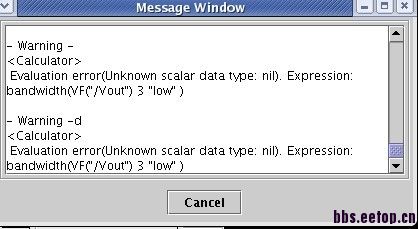
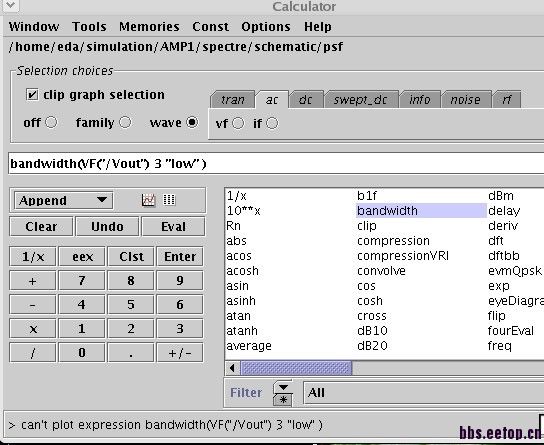
在virtuoso中用calculator算bandwidth出现错误,如何解决?
录入:edatop.com 阅读:
在virtuoso中用calculator算bandwidth出现错误,如何解决?
查找
Waveform Calculator User Guide
Product Version 5.1.41
December 2005
该文档是这样说明的:
Bandwidth Function
The bandwidth function calculates the bandwidth of the waveform in the calculator buffer.
Please note that the input waveform must represent a true voltage, NOT modified by a dB.
1. Set up the expression whose bandwidth you want to calculate in the buffer.
2. Select bandwidth.
3. Click Get Buffer.
4. In the Db field, enter how far below the peak value you want to see data.
5. Choose a bandwidth response from the Type field.
❑ low computes the bandwidth of a low-pass response.
❑ high computes the bandwidth of a high-pass response.
❑ band computes the bandwidth of a band-pass response.
6. Click OK.
试了N次发现还是有错误,有人知道如何解决?
曲线须是幅度值才行,不能是DB处理过的。
申明:网友回复良莠不齐,仅供参考。如需专业解答,请学习本站推出的微波射频专业培训课程。
上一篇:No DC path from node "I0.gnd" to ground
下一篇:用calibre做后仿少文件是怎么回事啊