- 易迪拓培训,专注于微波、射频、天线设计工程师的培养

HFSS15: Zoom to Selected Boundary
录入:edatop.com 点击:
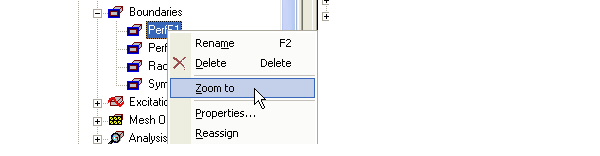
To zoom to a selected boundary, right-click on a boundary name in the Project and select the Zoom to command on the popup menu. This zooms the view in the Modeler window in or out to show the selected boundary. The current orientation does not change. This can be very useful checking the assigned geometry.

Related Topics
Showing and Hiding Boundaries and Excitations
Modifying Boundaries
Deleting Boundaries
HFSS 学习培训课程套装,专家讲解,视频教学,帮助您全面系统地学习掌握HFSS
上一篇:Working with Traces
下一篇:Working with User Material Libraries

