- 易迪拓培训,专注于微波、射频、天线设计工程师的培养

HFSS15: Selecting Vertices
录入:edatop.com 点击:
If the modeler is in vertex selection mode, simply click an object’s vertex in the view window and it will be selected. To select multiple vertices, hold the CTRL key as you click the vertices.
When the mouse hovers over a vertex in the view window, that vertex is highlighted, which indicates that it will be selected when you click. Selected vertices become the color specified under the Display tab of the Modeler Options dialog box. All other objects become relatively transparent.
Switch to vertex selection mode using one of the following methods:
• Click Edit > Select>Vertices.
• Press the “V” key to enter vertex selection mode.
• Select Vertex from the pull-down list in the 3D Modeler Selection toolbar.
Selecting a vertex enables the following selection icons.

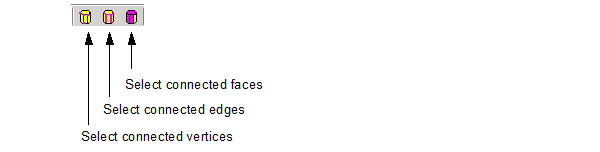
You can use these icons to modify the current selection.
• Select connected faces selects faces touching to the current selection.
• Select connected edges selects the edges that touch the current selection.
• Select vertices selects the vertices of edges that touch the current selection.
HFSS 学习培训课程套装,专家讲解,视频教学,帮助您全面系统地学习掌握HFSS
上一篇:SetDoubleQuantityData(qtyName,qtyData)
下一篇:Setting Default Values for Boundaries and Excitations

