- 易迪拓培训,专注于微波、射频、天线设计工程师的培养

HFSS15: Post Processing and Generating Reports
录入:edatop.com 点击:
Post Processing and Generating Reports
When HFSS has completed a solution, you can display and analyze the results in the following ways:

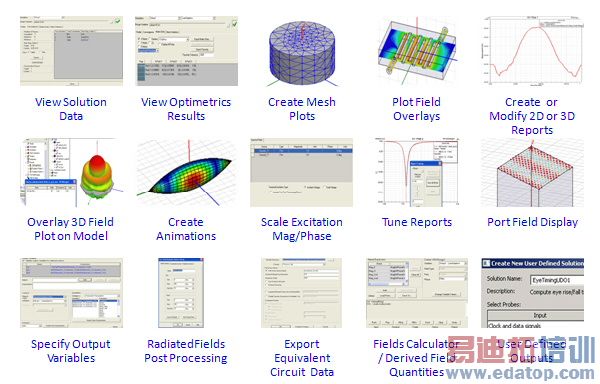
• View solution data including the following: convergence information, computing resources that were used during the solution process, mesh statistics, and matrices computed for the S-parameters, impedances, and propagation constants during each adaptive, non-adaptive, or sweep solution. For eigenmode solutions, you can view the real and imaginary parts of the frequency and quality factor Q computed for each eigenmode. Solution data can also be viewed while HFSS is generating a solution.
• View analysis results for Optimetrics solutions.
• Plot field overlays - representations of basic or derived field quantities - on surfaces or objects.
• Overlay Field Plots on Models
• Create 2D or 3D reports of S-parameters, basic and derived field quantities, and radiated field data.
• Plot the finite element mesh on surfaces or within 3D objects.
• Create animations of field quantities, the finite element mesh, and defined project variables.
• Scale an excitation’s magnitude and modify its phase.
• Apply Derivative Tuning to Reports
Note | Except in the case of non-model boxes drawn in the global coordinate system (CS), non-model objects cannot be used for any fields post processing operation You can use non-model boxes drawn in the global CS for post processing operations, including integration and solution domaining. |
HFSS 学习培训课程套装,专家讲解,视频教学,帮助您全面系统地学习掌握HFSS
上一篇:Port Accuracy
下一篇:Port Options

