- 易迪拓培训,专注于微波、射频、天线设计工程师的培养

HFSS15: Port Post Processing Tab : Modal Solutions
录入:edatop.com 点击:
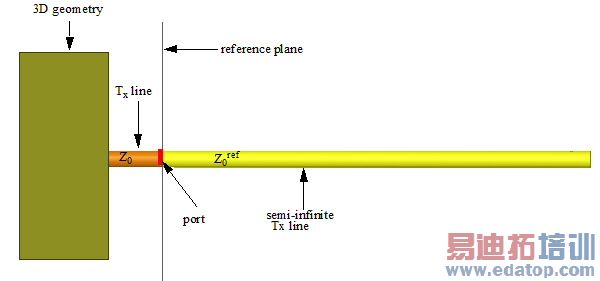
De-embedding and renormalization are the two post processing options available in HFSS. De-embedding changes the reference plane where the port is placed rather than literally defining a new port on a different reference plane. Reference plane is the location where the S-parameters are calculated. De-embedding helps to calculate the S-parameters near or on the plane of a discontinuity or when a long transmission line is attached to the port plane instead of explicitly modeling it in HFSS.
Renormalization changes the load impedance of the port.
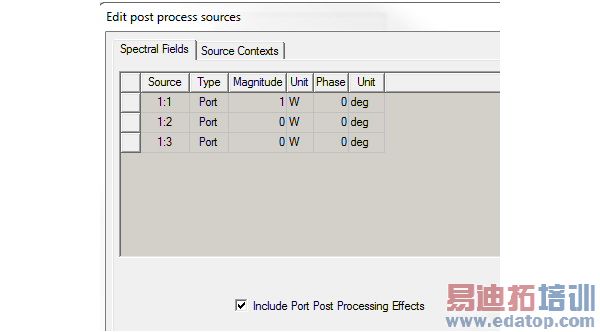
Both renormalization and deembedding affect the network parameters. They will also affect the fields if the Include Port Post Processing Effects option is selected in the Edit Sources dialog box.
We will now explain the concept of De-embedding and Renormalization.
Deembed Settings
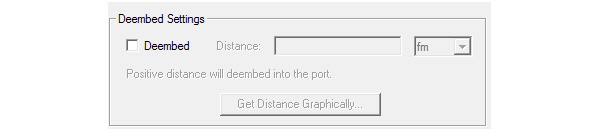
First we will not employ deembedding as shown under Deembed Settings of the wave port post processing dialog box.
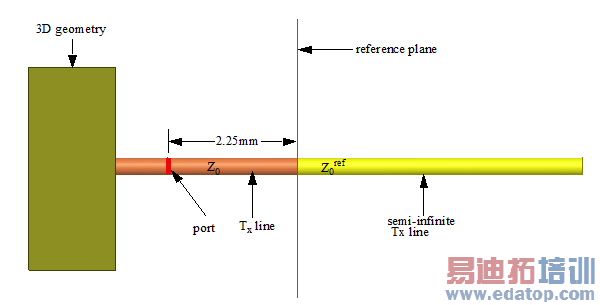
In this situation, by default the reference plane will be along the port surface as shown below.
We will now employ deembedding.
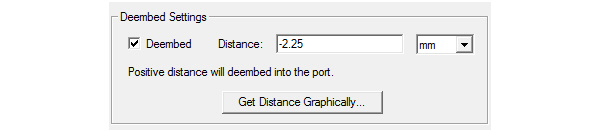
HFSS shifts the reference plane when you deembed.
Renormalization
This option lets you vary the value of Z0ref. When you do not renormalize Z0ref is Z0 . When you renormalize as shown in the figure below, Z0ref will no longer be Z0 but it will be assigned the value that you enter in the Full Port Impedance field. The settings in the figure below makes Z0ref = 75 ohm.
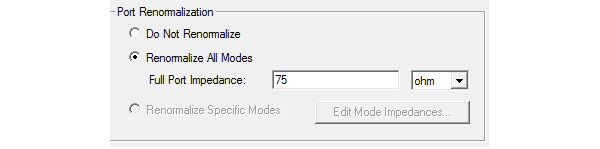
Note: You do not need to re-run a simulation in order to renormalize a port. Post-processing reports are automatically updated to reflect the renormalized S-matrix.
HFSS 学习培训课程套装,专家讲解,视频教学,帮助您全面系统地学习掌握HFSS
上一篇:Plotting in the Time Domain
下一篇:Post Processing for Complicated Models

