- 易迪拓培训,专注于微波、射频、天线设计工程师的培养

HFSS15: Editing ANSYS EM Models in Workbench
录入:edatop.com 点击:
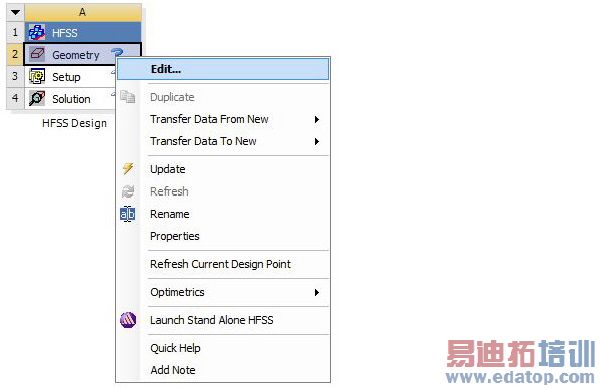
You can edit various properties and parameters (geometry, setup, solution, etc.) of the ANSYS Electromagnetics project either by right-clicking on the project in Workbench and selecting Edit on the context menu; or by double-clicking the project. Doing so launches the ANSYS Electromagnetics desktop application and loads the project so that you can setup your project in a familiar desktop environment. Changes made to the ANSYS Electromagnetics project are saved to the project instance in the Workbench project folder.
Related Topics
Workbench Data Integration Overview
Adding new analysis systems
Importing existing desktop projects
Analyzing models
Performing parameter studies
Scripting
HFSS 学习培训课程套装,专家讲解,视频教学,帮助您全面系统地学习掌握HFSS
上一篇:Example -BatchOptions with -Remote (Windows)
下一篇:Enable Iterative Solver

