- 易迪拓培训,专注于微波、射频、天线设计工程师的培养

HFSS15: Exporting Variables for Documentation
录入:edatop.com 点击:
By right-clicking in the Project Variables dialog, you can copy a a list of variables and their values to the clipboard. You can then paste these variables elsewhere.

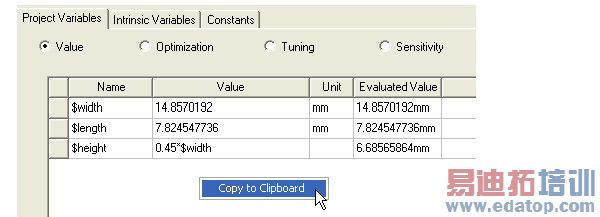
The pasted variables appear in a tab separated column format. Fields that do not contain values are left blank.:
Name | Value | Unit | "Evaluated Value | "Description | Read-only | Hidden |
$width | 14.8570192 | mm | 14.8570192mm |
| false | false |
$length | 7.824547736 | mm | 7.824547736mm |
| false | false |
$height | 0.45*$width |
| 6.68565864mm |
| false | false |
Related Topics
Assigning Variables
HFSS 学习培训课程套装,专家讲解,视频教学,帮助您全面系统地学习掌握HFSS
上一篇:Excluding a Variable from an Optimetrics Analysis
下一篇:Exporting Antenna Parameters and Maximum Field Data

