- 易迪拓培训,专注于微波、射频、天线设计工程师的培养

HFSS15: Assigning Frequency Dependent Material: Debye Model Input
录入:edatop.com 点击:
Having selected Debye as the model for the frequency dependent material property, you enter the required values in the dialog displayed:
1. Enter the Upper and Lower Frequencies to define the range:

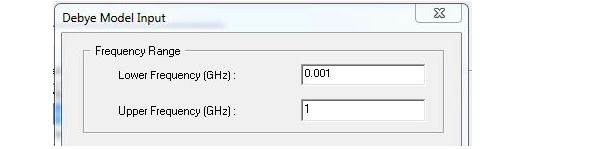
HFSS assumes that the material’s property values remain constant for frequencies below the Lower Frequency and above the Upper Frequency.
2. Enter the Upper and Lower Relative Permittivity of the material.
If the permittivity of the material does not vary with frequency, enter the same value you entered for the permittivity’s lower frequency
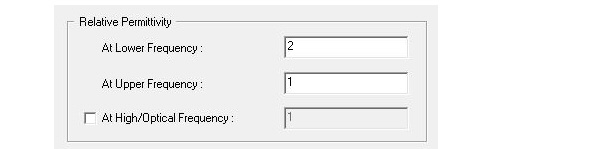
3. If you need to specify a value for a High/Optical Frequency, check the box to enable the value field.
4. For Conductivity or Dielectric Loss Tangent, select the radio button for either At DC or for Upper and Lower Frequencies.
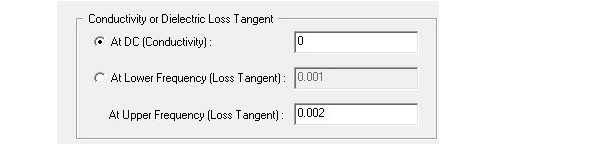
After you have entered the data for your selection, you return to the View/Edit Material window. New default function names appear in the material property text boxes. HFSS automatically created a dataset for each material property. Based on a varying property’s dataset, HFSS can interpolate the property’s values at the desired frequencies during solution generation.
To modify the dataset with additional points, see Modifying Datasets.
Note | Neither the piecewise or the loss models ask for frequency dependent conductivity because there the constant sigma represents the DC loss and the frequency dependent loss tangent represents the polarization losses. |
HFSS 学习培训课程套装,专家讲解,视频教学,帮助您全面系统地学习掌握HFSS
上一篇:Assigning Master Boundaries
下一篇:Assigning Layered Impedance Boundaries

