- 易迪拓培训,专注于微波、射频、天线设计工程师的培养

HFSS15: Working with the Properties Window
录入:edatop.com 点击:
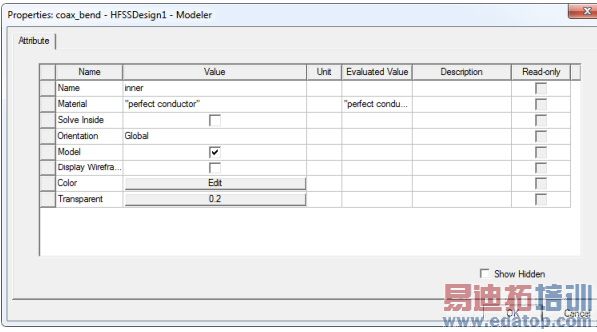
The Properties window displays the attributes, or properties, of an item selected in the project tree, the history tree, or the 3D Modeler window. The Properties window enables you to edit an item’s properties. The properties, and the ability to edit them in the Properties window, will vary, depending on the type of item selected. The tabs available in the Properties window will also vary, depending on the selection.
By can choose to show or hide a docked Properties window as part of the desktop. You can move move and resize the docked Properties window within the desktop to suit your work style. When you have a docked Properties window, it displays the properties of any item you select in the Project tree, the History Tree, or the 3D Modeler window. You select View>Properties Window to remove the docked properties window.
Regardless of the whether you display a docked Properties window, you can still open an undocked Properties window for any item in the project tree, the history Tree, or the 3D Modeler window by double-clicking.
Related Topics
Opening the Properties Window
Showing and Hiding the Properties Window
Setting the Properties Window to Open Automatically
Modifying Object Attributes using the Properties Window
Modifying Object Command Properties Using the Properties Window
HFSS 学习培训课程套装,专家讲解,视频教学,帮助您全面系统地学习掌握HFSS
上一篇:When HFSS Needs Port Calibration (deembedding)
下一篇:Working with the Shortcut Menus

