- 易迪拓培训,专注于微波、射频、天线设计工程师的培养

HFSS15: Write Command
录入:edatop.com 点击:
This command saves the contents of the top register to a disk file. Use this command to:
• Save registers for use during a later post-processing session.
• Save a field quantity for use when post processing a different model.
To save a register:
1. Click Write.
2. If the register includes numeric with a constrained quantity (such as jsurf), you see a dialog that gives a choice of constraining geometries. For example:

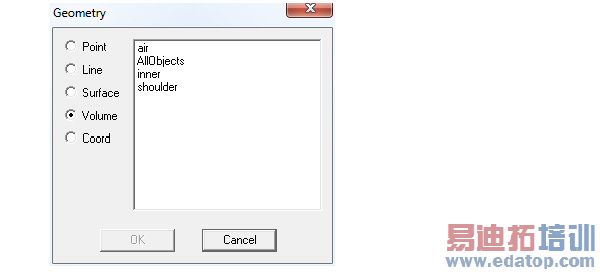
3. Select the geometry of interest, and select OK.
This displays a file browser.
4. Use the file browser to specify the register’s file name and directory path. A .reg extension is automatically assigned to register files and a .fld extension is assigned to field files. You can choose to save both .reg and .fld files, or either one.
5. Click OK.
The contents of the register are saved to the file you specified.
Related Topics
Using the Fields Calculator
In addition to the online help, you can also view a pdf format HFSS Fields Calculator Cookbook: A Brief Primer and Collection of Step-by Step Calculator Recipes for Use in Fields Post Processing.
The chm version is here:
HFSS 学习培训课程套装,专家讲解,视频教学,帮助您全面系统地学习掌握HFSS
上一篇:Wrap Command
下一篇:X Form

