- 易迪拓培训,专注于微波、射频、天线设计工程师的培养

HFSS15: Assigning Frequency Dependent Material: Multipole Debye Model Input
录入:edatop.com 点击:
Having selected Multipole Debye as the model for the frequency dependent material property, you enter the required values in the dialog displayed.
1. You can enter data either into the columns for Frequency (GHz), Relative Permittivity and Dielectric Loss Tangent The frequency can be ranged from 0 to unlimited. The relative permittivity is ranged from 1.0 to unlimited and loss tangent is ranged from 0 to unlimited. To get the good results, you should provide more than 5 frequency points.,

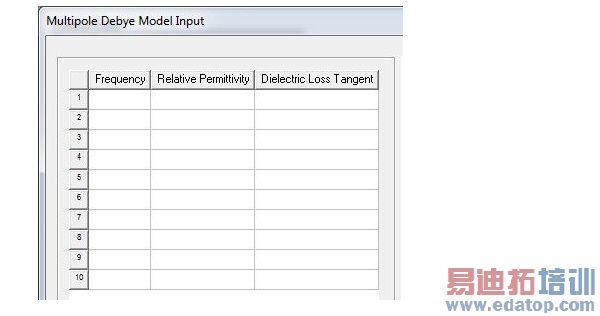
You can also import the data from a tab format text file.

The import data will be shown in the data table, and then can be modified. You can export current input data to a file. The file is a tab file with extension .tab (same as dataset import/export file). Below is an example of the file format. Each row provides Frequency (assumed to be Hz), Permittivity, and Loss Tangent.
0.00001 3.8136 0.00128
0.00010 3.7914 0.00520
0.00100 3.7500 0.00700
0.01000 3.7119 0.00700
0.10000 3.6742 0.00700
1.00000 3.6354 0.00700
2.15444 3.6346 0.00702
3.17000 3.6325 0.01073
4.64160 3.6186 0.01500
10.0000 3.5777 0.01750
21.5444 3.5458 0.01750
26.0000 3.5383 0.01750
46.4160 3.5148 0.01750
50.0000 3.5119 0.01750
During the data input, the frequency dependent expressions for permittivity or loss tangent are calculated using Multipole Debye model, and are plotted for reference. The input data are also linearly interpolated and drawn on the plot for comparison..
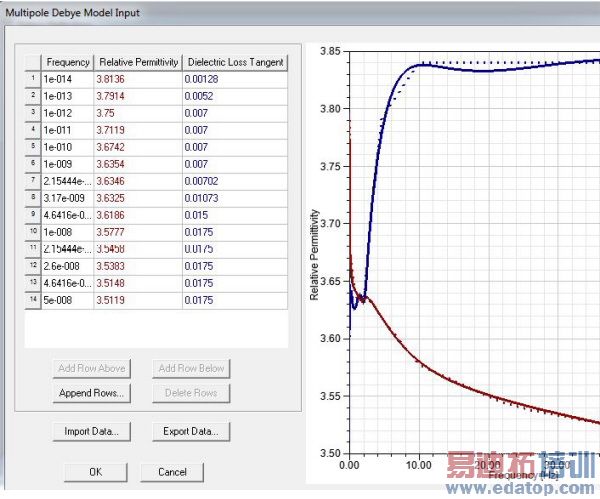
If desired, you can change or rescale the plot by selecting the Frequency label and right-clicking to display the Edit Properties menu.
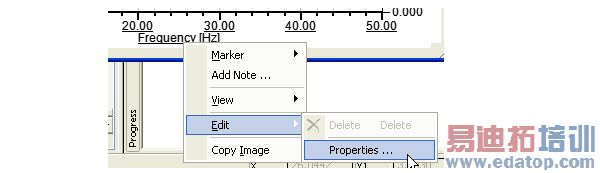
Select the Scaling tab, find the Units row, and right click to select the desired scaling.

2. Based on this data the software dynamically generates frequency dependent expressions for relative permittivity and loss tangent through the Multipole Debye Model. The input dialog plots these expressions together with your input data through the linear interpolations.
• The generated expressions provide the new value for the material properties of relative permittivity and loss tangent.
• Both the expressions and data triples can be exported and re-imported.
After you have entered the data for your selection, you return to the View/Edit Material window. New default function names appear in the material property text boxes. HFSS automatically created a dataset for each material property. Based on a varying property’s dataset, HFSS can interpolate the property’s values at the desired frequencies during solution generation.
HFSS 学习培训课程套装,专家讲解,视频教学,帮助您全面系统地学习掌握HFSS
上一篇:Assigning Lumped Ports
下一篇:Assigning Perfect H Boundaries

